> ## Documentation Index
> Fetch the complete documentation index at: https://docs.twill.ai/llms.txt
> Use this file to discover all available pages before exploring further.
# GitHub
> Turn issues into PRs, iterate on review feedback, and let Twill fix CI — all from GitHub.
GitHub is connected during [onboarding](/quickstart) by installing the Twill GitHub App on the repositories you choose. That installation powers everything here.
## Start tasks from issues
Mention `@twill` in an issue body or comment, or add the `twill` label. Twill reacts with 👀, works the issue in your [dev environment](/environment), and links the resulting PR back.
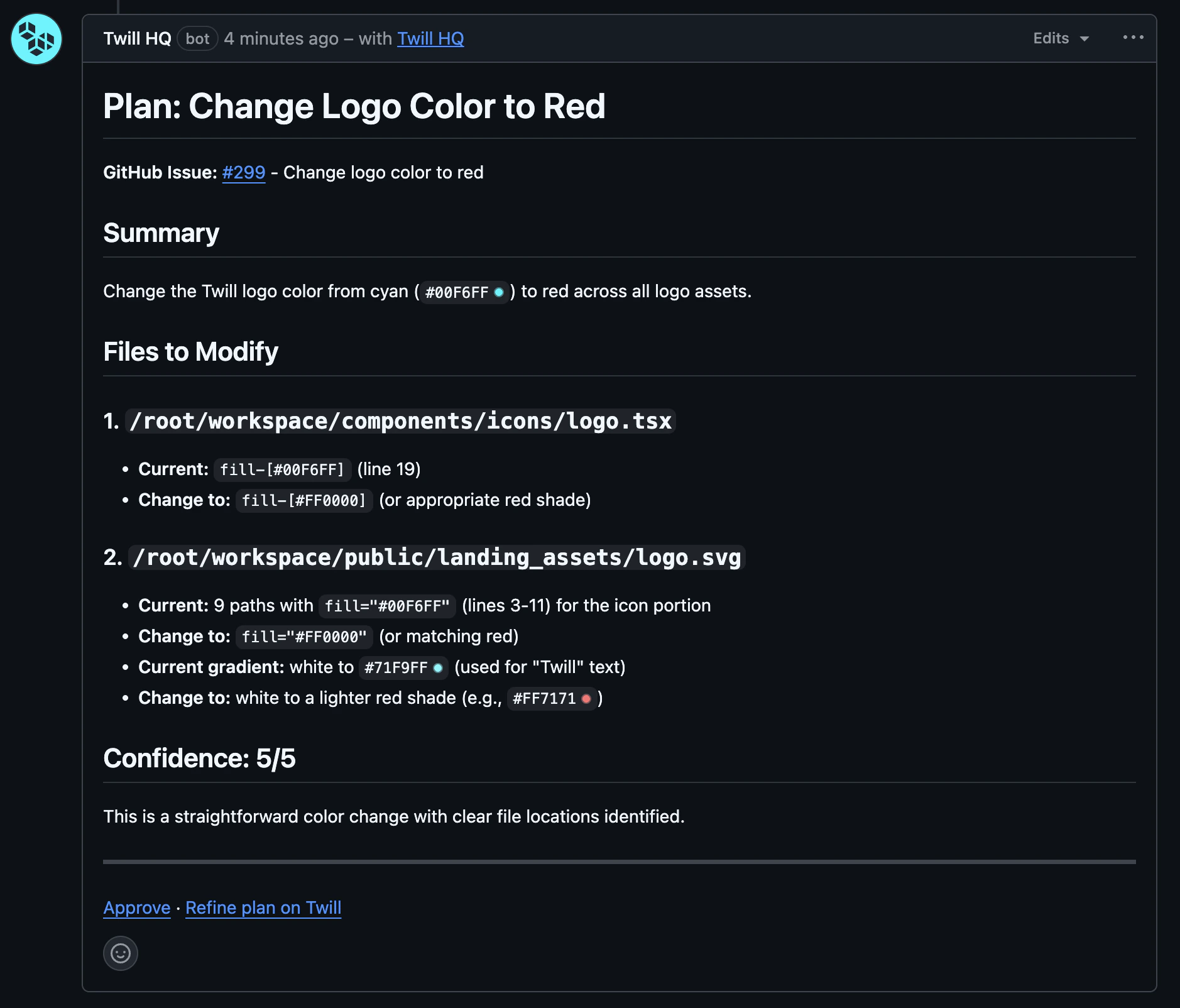 Plans and clarifying questions post back as issue comments, and your replies continue the task. To force plan-first or pick a model, include a `/trigger` in the text or add a label matching one of your [routing configs](/agent-config/routing) — for example `/plan`.
## Work on any pull request
Mention `@twill` in a PR conversation or a code-review thread — on any PR, not just Twill's own. Twill checks out the PR branch and pushes to it.
For review feedback: leave `@twill` comments in **unresolved** review threads. Twill waits about 2 minutes to batch multiple comments, then addresses all unresolved threads in one pass.
## Automatic completion & CI fixes
* When a PR linked to a task is merged, the task moves to **Completed** on its own.
* When CI fails on a Twill PR, Twill reads the logs and pushes a fix — up to 3 attempts per failure. See [Verification](/verification#ci-auto-fix).
Plans and clarifying questions post back as issue comments, and your replies continue the task. To force plan-first or pick a model, include a `/trigger` in the text or add a label matching one of your [routing configs](/agent-config/routing) — for example `/plan`.
## Work on any pull request
Mention `@twill` in a PR conversation or a code-review thread — on any PR, not just Twill's own. Twill checks out the PR branch and pushes to it.
For review feedback: leave `@twill` comments in **unresolved** review threads. Twill waits about 2 minutes to batch multiple comments, then addresses all unresolved threads in one pass.
## Automatic completion & CI fixes
* When a PR linked to a task is merged, the task moves to **Completed** on its own.
* When CI fails on a Twill PR, Twill reads the logs and pushes a fix — up to 3 attempts per failure. See [Verification](/verification#ci-auto-fix).