> ## Documentation Index
> Fetch the complete documentation index at: https://docs.twill.ai/llms.txt
> Use this file to discover all available pages before exploring further.
# Linear
> Delegate Linear issues to Twill with a label or an assignment.
Connect Linear in **Settings → Integrations**. Twill creates a `twill` label in your Linear workspace and appears as an assignable teammate.
## Delegate an issue
Two ways, both equivalent:
* Add the **`twill` label** to an issue
* **Assign the issue to Twill**
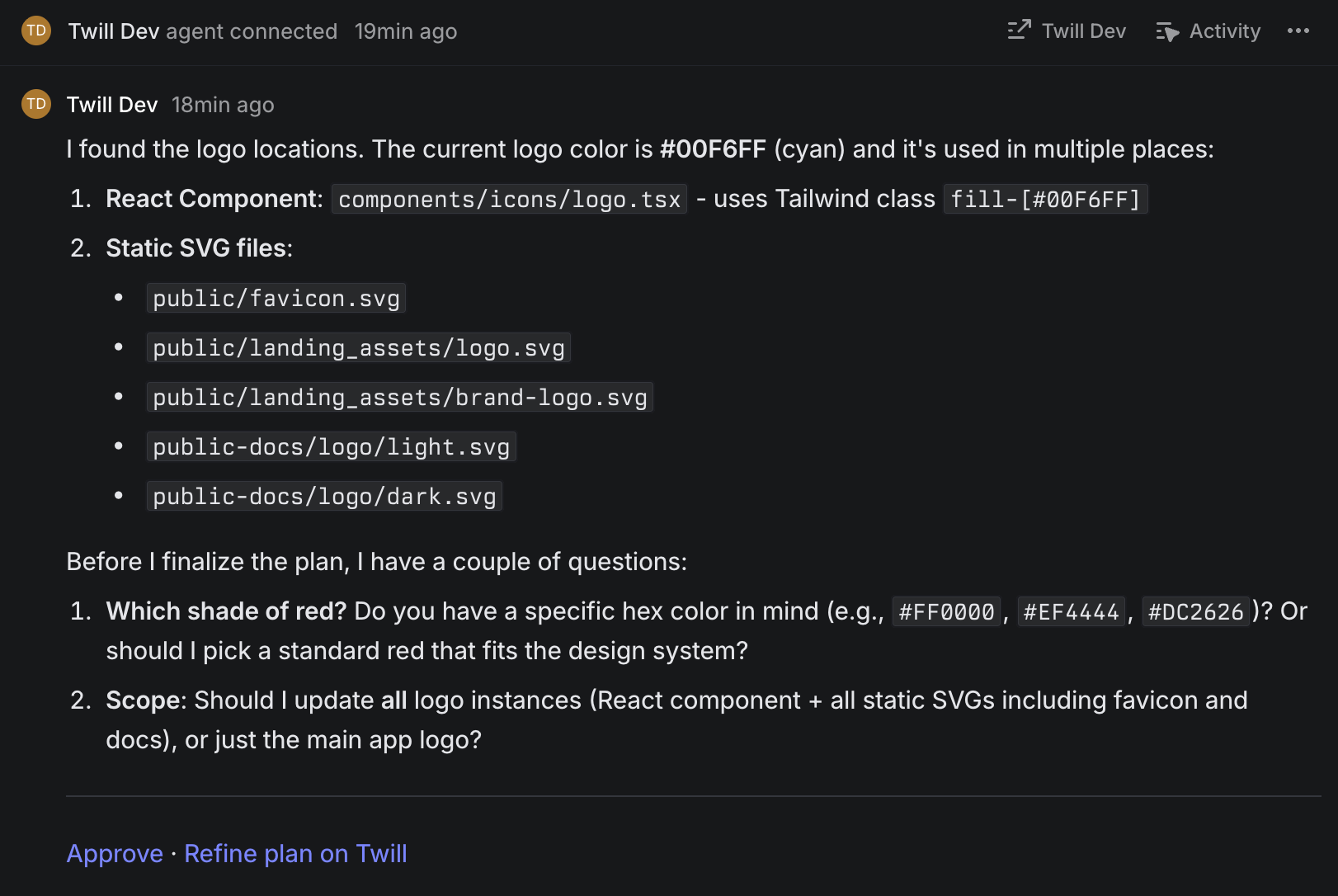 Twill reads the issue (title, description, comments), works it, and posts progress in the issue's thread. The PR is linked when ready, and clarifying questions arrive as comments — reply in-thread to answer.
## Plans and routing
To require a plan or select a model, add a label matching one of your [routing config](/agent-config/routing) triggers — for example a `plan` or `ultra` label. On Linear, routing fires on labels (not `/text` triggers).
Plans post to the thread with an **Approve** link. To stop a run, say so in the thread.
Twill reads the issue (title, description, comments), works it, and posts progress in the issue's thread. The PR is linked when ready, and clarifying questions arrive as comments — reply in-thread to answer.
## Plans and routing
To require a plan or select a model, add a label matching one of your [routing config](/agent-config/routing) triggers — for example a `plan` or `ultra` label. On Linear, routing fires on labels (not `/text` triggers).
Plans post to the thread with an **Approve** link. To stop a run, say so in the thread.