> ## Documentation Index
> Fetch the complete documentation index at: https://docs.twill.ai/llms.txt
> Use this file to discover all available pages before exploring further.

# Notion

> Create Twill tasks from Notion comments.

## Setup

<Tip>
  Make sure your GitHub App is connected and your connected repos are
  accessible. See the [Quickstart](/quickstart).
</Tip>

1. Go to **Settings → Integrations → Notion** and connect your workspace
2. In Notion, make sure Twill has access to the pages where you want to use it (Notion will prompt you during connection)

## Create a Task

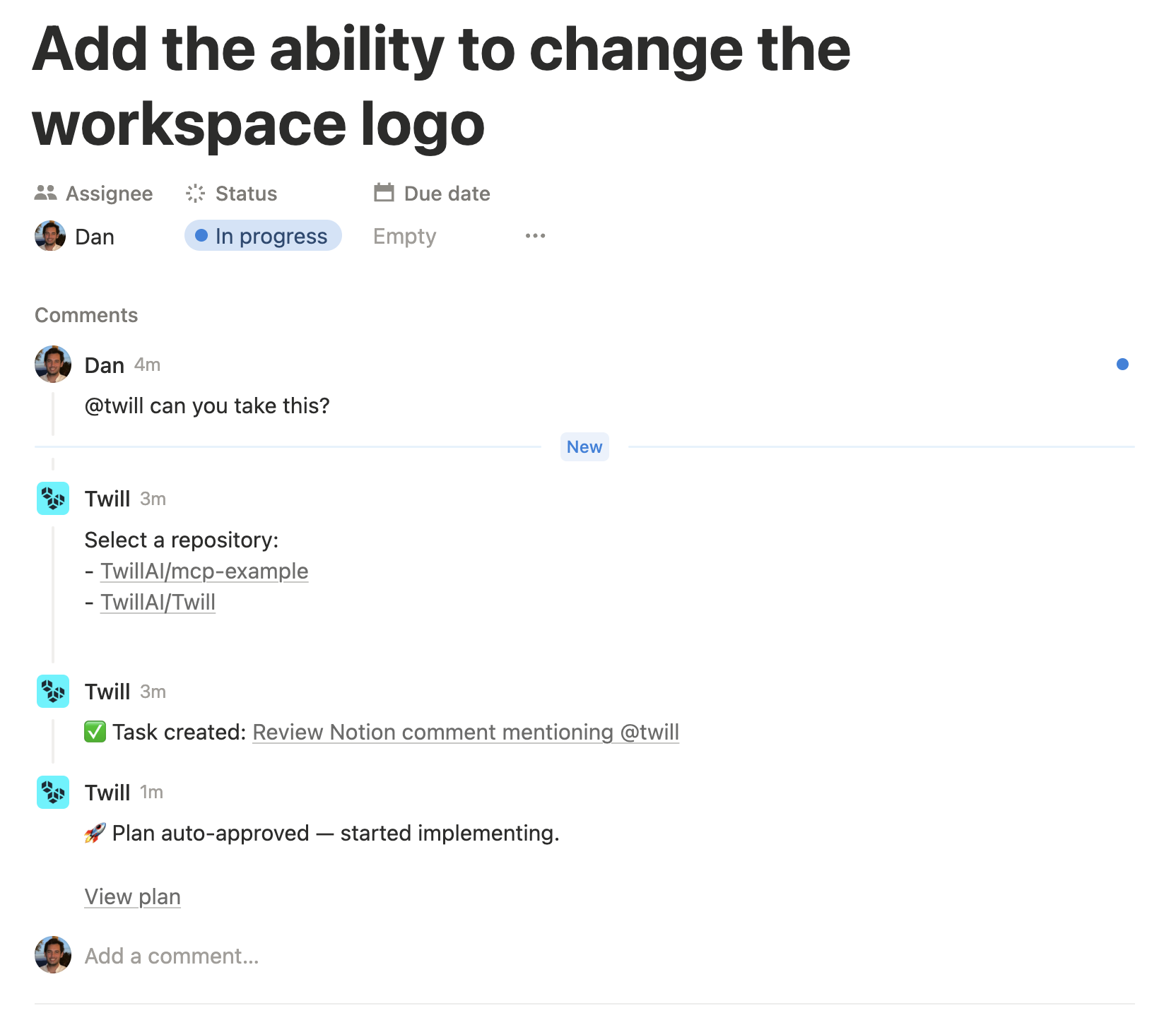
Mention `@twill` in a Notion comment with your request:

```
@twill Add pagination to the users list
```

Twill will start analyzing and will post updates back into the same Notion comment thread (for example: the plan and completion).

<Frame>
  <img src="https://mintcdn.com/twill/INIYmVKCIfvNs5ZG/images/notion-example.png?fit=max&auto=format&n=INIYmVKCIfvNs5ZG&q=85&s=476ec56699b78b877ee9dfc1deabaf50" alt="Twill responding to a Notion comment with an implementation plan" width="1664" height="1434" data-path="images/notion-example.png" />
</Frame>

## Approve the Plan

Once analysis is done, Twill posts the implementation plan back into the Notion comment thread with an approval link.

**Want changes?** Reply in the same Notion thread with feedback — Twill will revise the plan.

**Ready?** Click the approval link to start implementation.

## Request a Plan

By default, Twill starts implementing immediately.

To request a plan first, include `/plan` in the **triggering** Notion comment:

```
@twill /plan Add pagination to the users list
```

See [Research & Planning](/agent/planning) for details on how planning and approval works.

## Pick an Agent / Model (optional)

You can optionally override the agent and/or model when creating a new task by adding `agent=` and/or `model=` to the **triggering** Notion comment:

```
@twill agent=claude model=sonnet Add pagination to the users list
```

If you specify `agent=` but omit `model=`, Twill uses defaults:

* `agent=claude-code` → Opus
* `agent=codex` → GPT 5.4
* `agent=open-code` → GPT 5.4

```
@twill /plan agent=codex model=gpt-5.3-codex Add pagination to the users list
```

<Note>
  Agent/model overrides only apply when the comment creates a new task.
  Follow-ups in the same Notion thread don’t change the agent/model.
</Note>

## Clarifications

If Twill needs more information, it will ask clarifying questions in the thread. Reply in a new comment (plain text) and include `@twill` with your answers.

## Follow-ups

Reply in the same Notion comment thread and mention `@twill` again to add more context or adjust the request. Twill treats it as a follow-up on the existing task for that thread.