> ## Documentation Index
> Fetch the complete documentation index at: https://docs.twill.ai/llms.txt
> Use this file to discover all available pages before exploring further.
# Slack
> Mention @twill in any channel to turn a conversation into a task — questions and results come back to the thread.
Connect Slack in **Settings → Integrations**, then invite the Twill bot to the channels where work gets discussed.
## Start a task
Mention the bot with your request:
```text theme={"theme":"github-dark"}
@twill the onboarding email renders broken in Outlook — fix the template
```
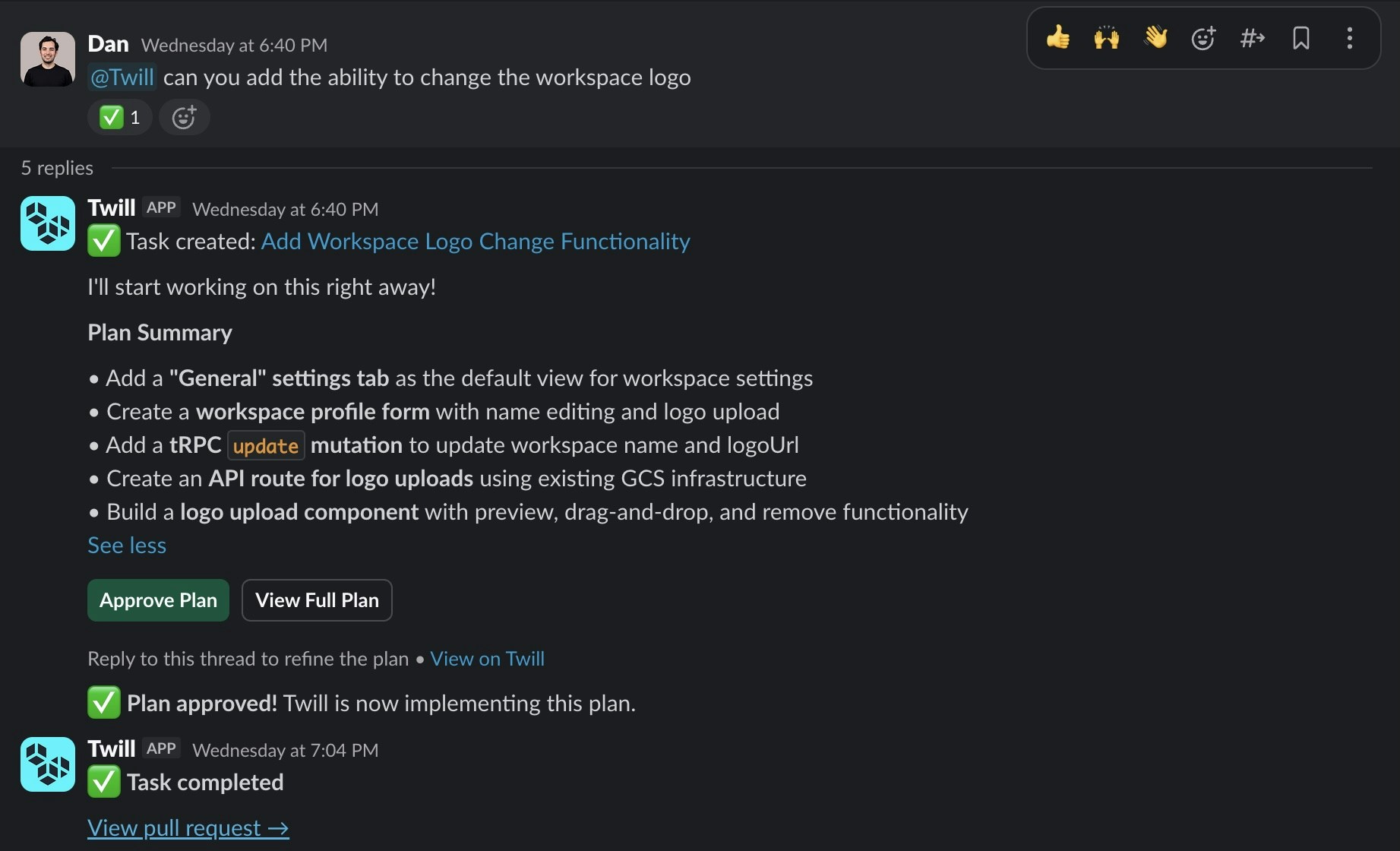 Twill replies in the thread with clarifying questions, plans (with an **Approve** button), progress, and the finished PR link. Reply with another `@twill` mention to follow up — the thread is the task's memory.
Start the request with a `/trigger` like `/plan` or `/ultra` to pick mode and model via your [routing configs](/agent-config/routing).
Twill reads only the thread where it's mentioned — not the whole channel.
## Attachments
Files in the triggering message (and thread history) are passed to the agent:
* **Images**: PNG, JPEG, GIF, WebP — great for screenshots of bugs or design mocks
* **Text**: plain text, Markdown
* **Data**: JSON, YAML
Limits: 10 MB per file, 5 files per message, and up to 10 files pulled from thread history. Unsupported or oversized files are skipped silently.
Twill replies in the thread with clarifying questions, plans (with an **Approve** button), progress, and the finished PR link. Reply with another `@twill` mention to follow up — the thread is the task's memory.
Start the request with a `/trigger` like `/plan` or `/ultra` to pick mode and model via your [routing configs](/agent-config/routing).
Twill reads only the thread where it's mentioned — not the whole channel.
## Attachments
Files in the triggering message (and thread history) are passed to the agent:
* **Images**: PNG, JPEG, GIF, WebP — great for screenshots of bugs or design mocks
* **Text**: plain text, Markdown
* **Data**: JSON, YAML
Limits: 10 MB per file, 5 files per message, and up to 10 files pulled from thread history. Unsupported or oversized files are skipped silently.