> ## Documentation Index
> Fetch the complete documentation index at: https://docs.twill.ai/llms.txt
> Use this file to discover all available pages before exploring further.
# What is Twill
> Twill turns task descriptions into pull requests — built and tested in a real dev environment, with proof attached.
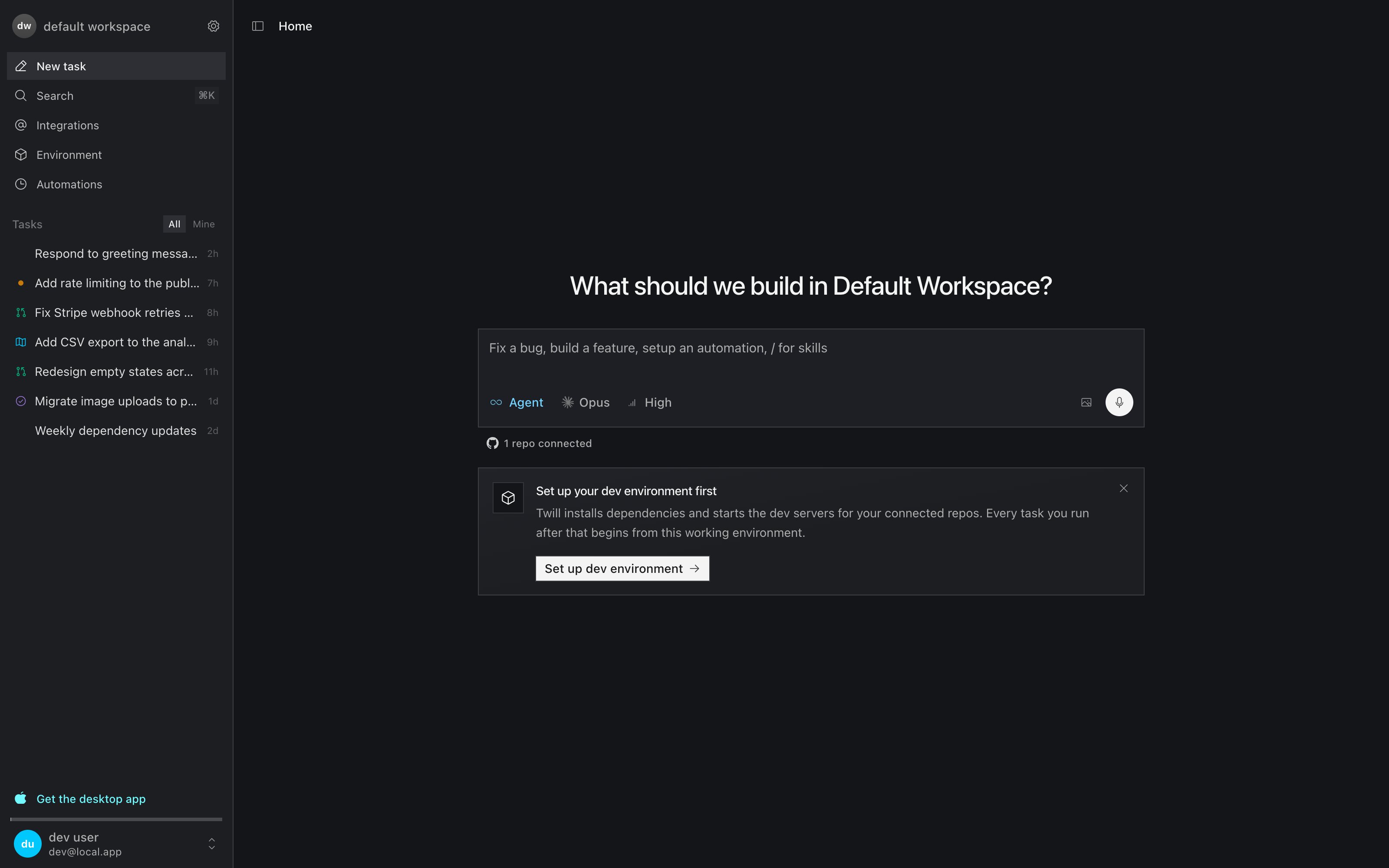
Twill is a software factory for your team. You describe a change — from GitHub, Slack, Linear, or the web app — and Twill builds it in a cloud dev environment that runs your whole stack, verifies it works, and opens a pull request with the evidence attached.
 ## Why teams use Twill
* **PRs come with proof.** Twill doesn't just produce a diff. It runs your build, tests, and lint, starts your app, clicks through UI changes in a browser, and attaches the evidence — test output, screenshots, recordings — to the pull request.
* **It runs your whole stack.** Every task runs in a dev environment with your repos cloned, dependencies installed, databases seeded, and dev servers already running. Multi-repo and monorepo setups work out of the box.
* **It works where your team works.** Trigger tasks from GitHub issues, Slack mentions, Linear labels, Notion comments, or Asana — and iterate in the same thread. No context re-explaining.
* **You stay in control.** Nothing merges automatically. Every change arrives as a pull request for human review, built in an isolated sandbox — agents can't push to your default branch or touch your infrastructure.
## How it works
1. **You describe the change.** From any connected tool, the CLI, the API, or the web app.
2. **Twill asks or plans when needed.** Ambiguous tasks get clarifying questions; you can also require a reviewable plan before any code is written.
3. **An agent implements it** in a fork of your workspace's dev environment, using the coding agent and model you choose (Claude Code, Codex, or OpenCode).
4. **Twill verifies the change** — build, tests, lint, plus runtime checks against the running app.
5. **You review a PR** with a summary and proof-of-work artifacts.
For the architecture behind this, see [How Twill works](/how-it-works).
## Start here
Connect GitHub and get your first verified PR in minutes.
The tasks Twill handles best, with example prompts.
Trigger tasks from GitHub, Slack, Linear, Notion, and more.
Delegate to Twill from Claude Code or Cursor.
## Why teams use Twill
* **PRs come with proof.** Twill doesn't just produce a diff. It runs your build, tests, and lint, starts your app, clicks through UI changes in a browser, and attaches the evidence — test output, screenshots, recordings — to the pull request.
* **It runs your whole stack.** Every task runs in a dev environment with your repos cloned, dependencies installed, databases seeded, and dev servers already running. Multi-repo and monorepo setups work out of the box.
* **It works where your team works.** Trigger tasks from GitHub issues, Slack mentions, Linear labels, Notion comments, or Asana — and iterate in the same thread. No context re-explaining.
* **You stay in control.** Nothing merges automatically. Every change arrives as a pull request for human review, built in an isolated sandbox — agents can't push to your default branch or touch your infrastructure.
## How it works
1. **You describe the change.** From any connected tool, the CLI, the API, or the web app.
2. **Twill asks or plans when needed.** Ambiguous tasks get clarifying questions; you can also require a reviewable plan before any code is written.
3. **An agent implements it** in a fork of your workspace's dev environment, using the coding agent and model you choose (Claude Code, Codex, or OpenCode).
4. **Twill verifies the change** — build, tests, lint, plus runtime checks against the running app.
5. **You review a PR** with a summary and proof-of-work artifacts.
For the architecture behind this, see [How Twill works](/how-it-works).
## Start here
Connect GitHub and get your first verified PR in minutes.
The tasks Twill handles best, with example prompts.
Trigger tasks from GitHub, Slack, Linear, Notion, and more.
Delegate to Twill from Claude Code or Cursor.