> ## Documentation Index
> Fetch the complete documentation index at: https://docs.twill.ai/llms.txt
> Use this file to discover all available pages before exploring further.
# Plans & questions
> Clarifying questions, plan-first workflows, and read-only Ask mode.
By default Twill implements immediately. But it never guesses silently: ambiguous tasks get clarifying questions, and for larger work you can require a reviewable plan before any code is written.
## Clarifying questions
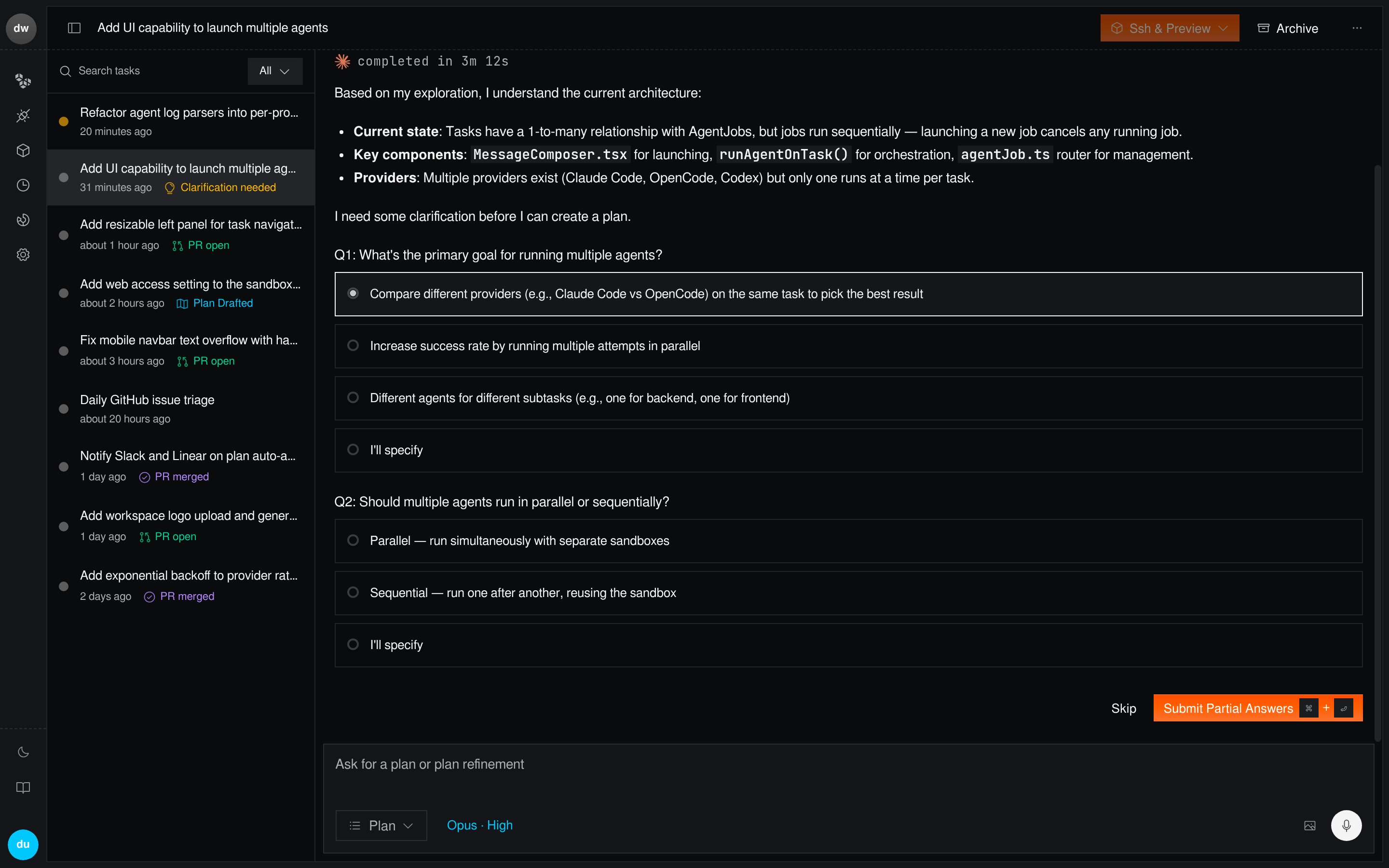
When a request is ambiguous — unclear scope, multiple valid interpretations, missing context — Twill asks before proceeding. Questions are posted to the thread where the task started (Slack thread, GitHub issue, Linear comment, or the web app), and your reply continues the task.
 ## Plan mode
In plan mode, Twill researches your codebase first — reading relevant files, checking existing patterns, consulting library docs — and posts an implementation plan instead of code.
## Plan mode
In plan mode, Twill researches your codebase first — reading relevant files, checking existing patterns, consulting library docs — and posts an implementation plan instead of code.
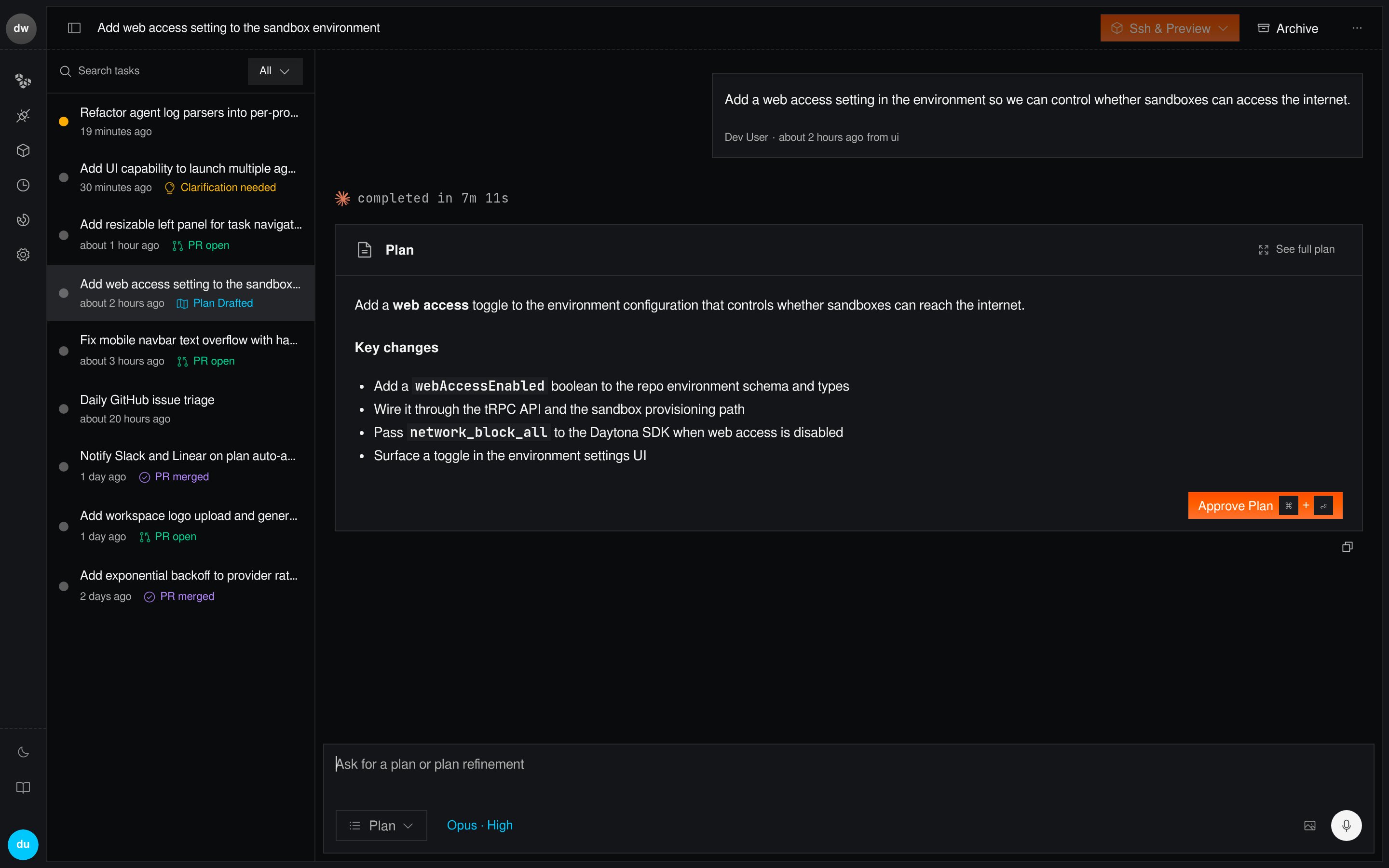 You then **approve**, **edit**, or **reject** the plan. Implementation starts only after approval, and the approved plan is what the agent follows.
Ways to get a plan:
* **Web app**: select **Plan** in the composer's mode dropdown.
* **GitHub / Slack / Notion / Asana**: include a plan-mode `/trigger` (for example `/plan`) in the message, per your [routing configs](/agent-config/routing). On GitHub issues, a matching label also works.
* **Linear**: add a label matching a plan-mode routing trigger.
Use plan mode when the change is large, risky, or when you want to align on
approach before spending agent time on implementation.
## Ask mode
Ask mode answers questions about your codebase without changing anything — no branch, no PR, read-only.
```text theme={"theme":"github-dark"}
/ask How does session refresh work, and where are tokens stored?
```
* **Web app**: select **Ask** in the mode dropdown.
* **Slack / GitHub / Notion**: start the message with an ask-mode trigger like `/ask`.
* **CLI**: `twill task create --mode ask --command "..."`.
Answers include file references so you can jump straight to the code.
You then **approve**, **edit**, or **reject** the plan. Implementation starts only after approval, and the approved plan is what the agent follows.
Ways to get a plan:
* **Web app**: select **Plan** in the composer's mode dropdown.
* **GitHub / Slack / Notion / Asana**: include a plan-mode `/trigger` (for example `/plan`) in the message, per your [routing configs](/agent-config/routing). On GitHub issues, a matching label also works.
* **Linear**: add a label matching a plan-mode routing trigger.
Use plan mode when the change is large, risky, or when you want to align on
approach before spending agent time on implementation.
## Ask mode
Ask mode answers questions about your codebase without changing anything — no branch, no PR, read-only.
```text theme={"theme":"github-dark"}
/ask How does session refresh work, and where are tokens stored?
```
* **Web app**: select **Ask** in the mode dropdown.
* **Slack / GitHub / Notion**: start the message with an ask-mode trigger like `/ask`.
* **CLI**: `twill task create --mode ask --command "..."`.
Answers include file references so you can jump straight to the code.