

Twill can either start implementing immediately or research the codebase and propose a plan first. By default, Twill starts implementing. If you want a plan, you must explicitly request it (see below).Documentation Index
Fetch the complete documentation index at: https://docs.twill.ai/llms.txt
Use this file to discover all available pages before exploring further.
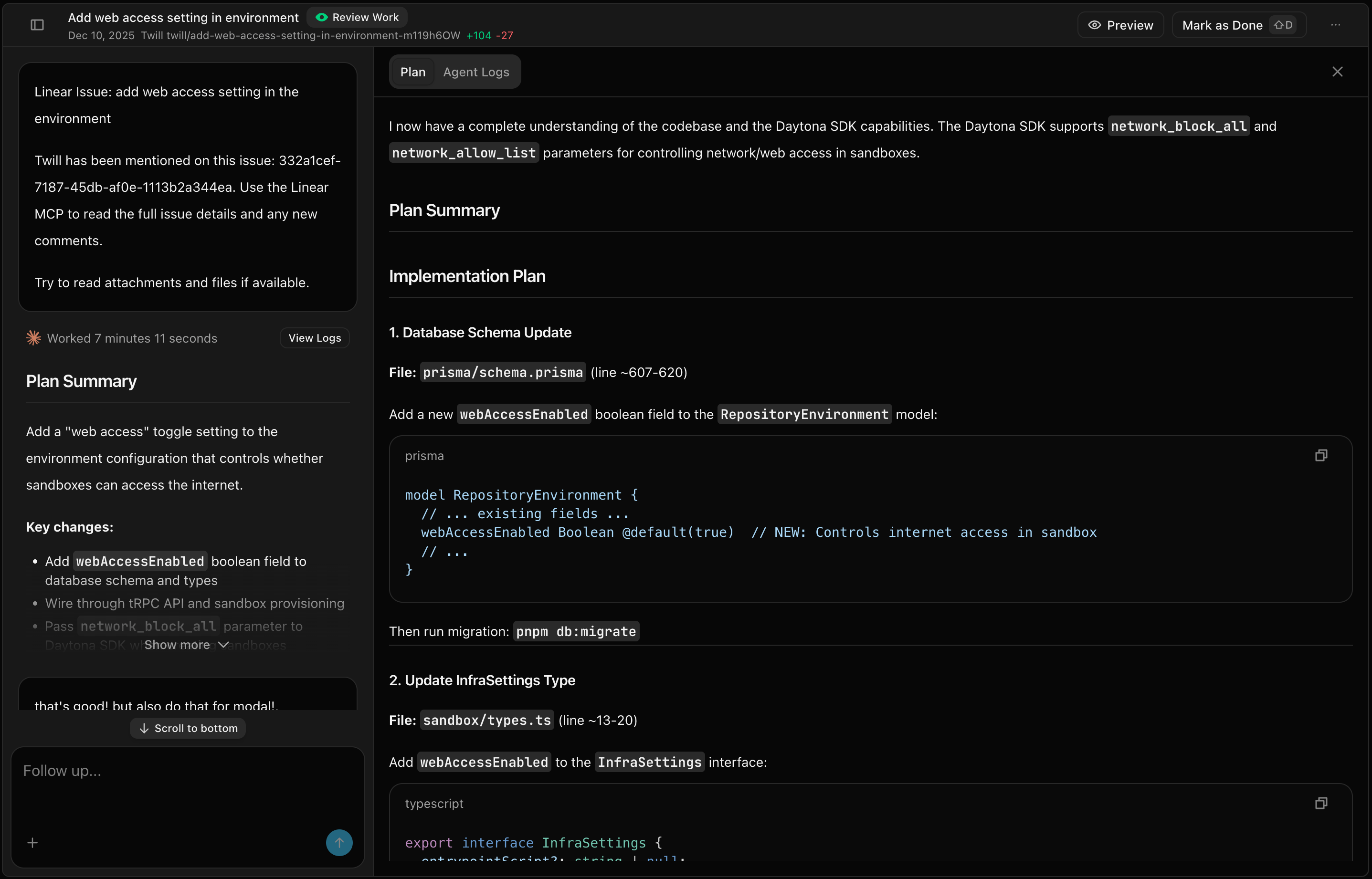
Research Phase
Before creating a plan, Twill explores your codebase to understand the relevant context and asks clarifying questions when needed.Clarifying Questions
If a task is ambiguous or has multiple valid approaches, Twill asks before assuming. You might see questions like:- “Should this endpoint require authentication?”
- “Do you want to update the existing component or create a new one?”
- “Which date format should I use for this field?”
What Twill Analyzes
- Existing code patterns and conventions
- Related files and dependencies
- Project structure and architecture
Up-to-Date Documentation
Twill integrates with Context7 to fetch current documentation for your dependencies. Instead of relying on stale training data, the agent retrieves relevant API references, migration guides, and best practices from official sources.Request a Plan
You can request a plan in a few ways:- Twill UI: select Plan in the mode dropdown of the message composer
- Slack / GitHub / Notion: include
/planin the same message/comment that triggers Twill - Linear: add the
twill-planlabel on the issue (in theTwilllabel group) or include/planin any follow-up comment
What the Plan Includes
- Files to create or modify
- Implementation approach
- Potential risks or considerations
Approval Flow
Plans require your approval before implementation begins. You can:- Approve to proceed with coding
- Edit to refine the approach
- Reject to start over with different guidance
Ask Mode
Ask mode is a read-only Q&A mode. Twill explores the codebase and answers your question without creating, editing, or deleting any files. No PR is opened — you just get an answer. Use it when you want to understand how something works, find where a feature is implemented, or get context before deciding what to change. You can trigger Ask mode in a few ways:- Twill UI: select Ask in the mode dropdown of the message composer
- Slack / GitHub / Notion: include
/ask(or#ask) in the message that triggers Twill - Linear: include
/askin a comment on the issue