Setup
- Go to Integrations → Notion and connect your workspace
- In Notion, make sure Twill has access to the pages where you want to use it (Notion will prompt you during connection)
Create a Task
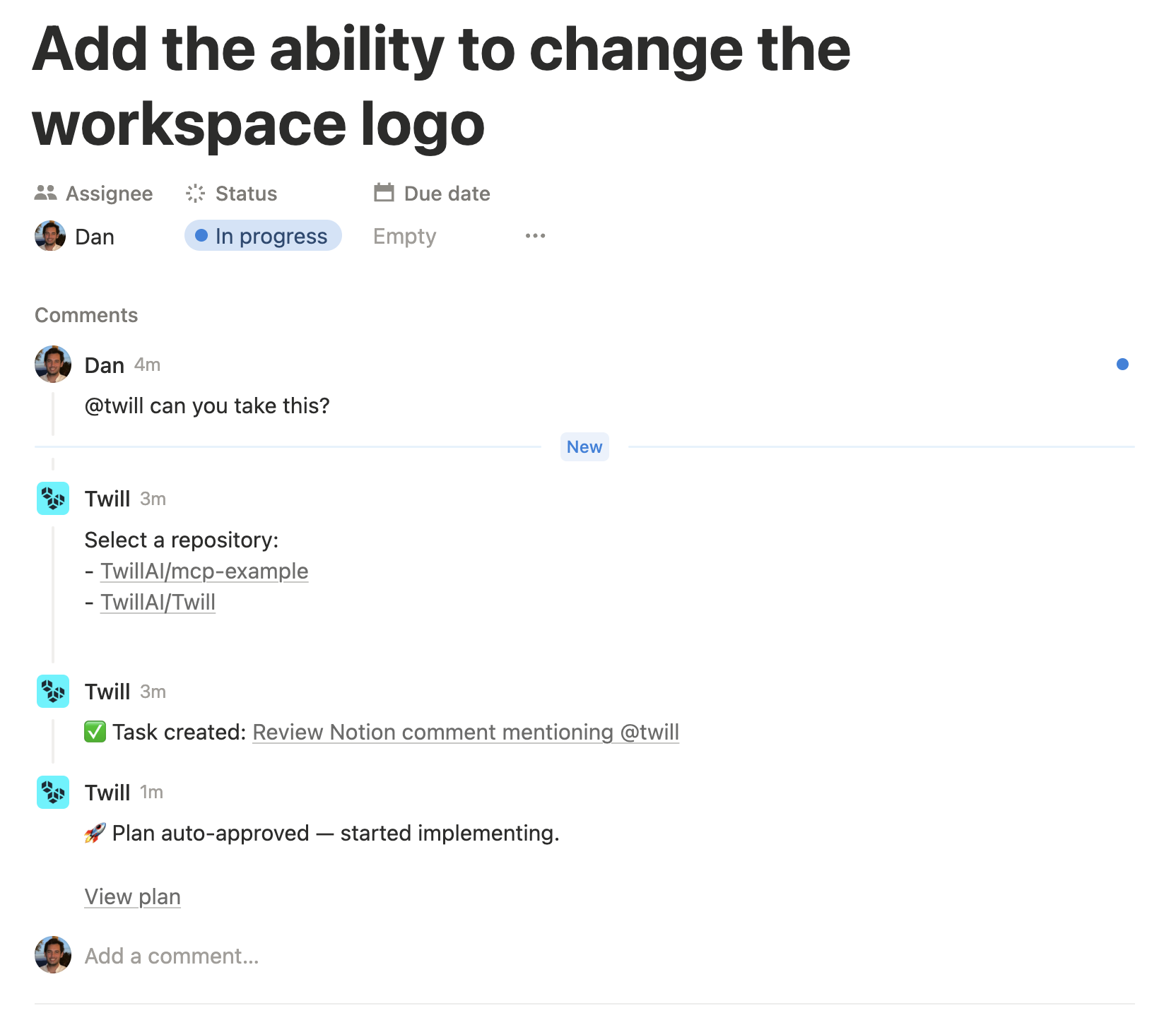
Mention@twill in a Notion comment with your request:
Pick a Repository (if you didn’t specify one)
If your Notion comment includes@twill but doesn’t include a repo:
- If your workspace has multiple accessible repositories, Twill replies with a list of repository links to choose from (click one).
Approve the Plan
Once analysis is done, Twill posts the implementation plan back into the Notion comment thread with an approval link. Want changes? Reply in the same Notion thread with feedback — Twill will revise the plan. Ready? Click the approval link to start implementation.Clarifications
If Twill needs more information, it will ask clarifying questions in the thread. Reply in a new comment (plain text) and include@twill with your answers.
Follow-ups
Reply in the same Notion comment thread and mention@twill again to add more context or adjust the request. Twill treats it as a follow-up on the existing task for that thread.